[Case 02]
Unifying Splunk's Documentation Portal
Data, Observability & Security
Redesigning the Information Architecture for a 20+ Product Enterprise Ecosystem
Splunk's documentation portal serves hundreds of thousands of developers, IT administrators, and security engineers globally. With 20+ products spanning cloud platforms, SIEM, SOAR, observability, and acquired tools like AppDynamics, the legacy portal had become an archive with no coherent structure. This project was about solving the taxonomy and navigation architecture first — so the design could actually serve the people depending on it daily.
Heretto Live Portal: help.splunk.com/en ↗
Old Portal: docs.splunk.com/Documentation ↗
[Industry]
Data, Observability & Security
[My Role]
Lead Product Designer
[Platforms]
Figma, Heretto Live Portal
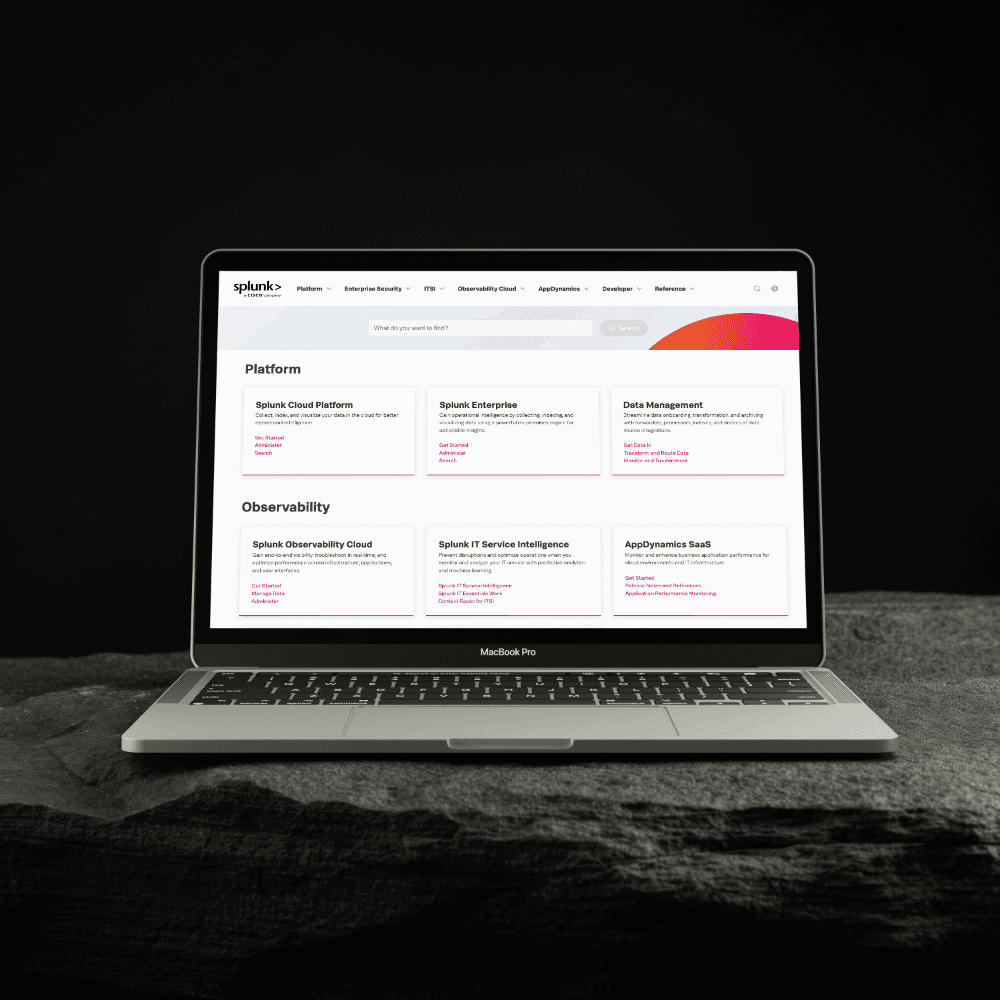
20+ enterprise products unified under a single coherent IA
Portal available in English and Japanese, serving a global enterprise audience
6 product families restructured — Platform, Observability, Security, AppDynamics, Developer, Resources
[The Challenge]
More than Twenty Products. One Portal. Zero Orientation.
Splunk's legacy documentation portal was a structural problem disguised as a visual one. With over 20 products — many acquired at different times with different naming conventions and content structures — the portal had become a flat wall of product names with no context, no grouping by workflow, and no signal about where to start. For a platform that enterprise security and DevOps teams rely on during production incidents, that friction wasn't just a UX inconvenience. It was a business liability. The real challenge wasn't making the portal look better. It was making it think better.
[The Solution]
Restructure First. Design Second.
The core of this engagement was information architecture — answering one question: how do Splunk's customers actually think about their work, and how do we build a structure that maps to that mental model rather than to Splunk's internal org chart? Working within Heretto's CCMS platform and in close collaboration with Splunk's content and engineering teams, I designed a taxonomy and navigation architecture that brought order to one of the most complex product ecosystems in enterprise software — then built the visual system to make that structure immediately legible.
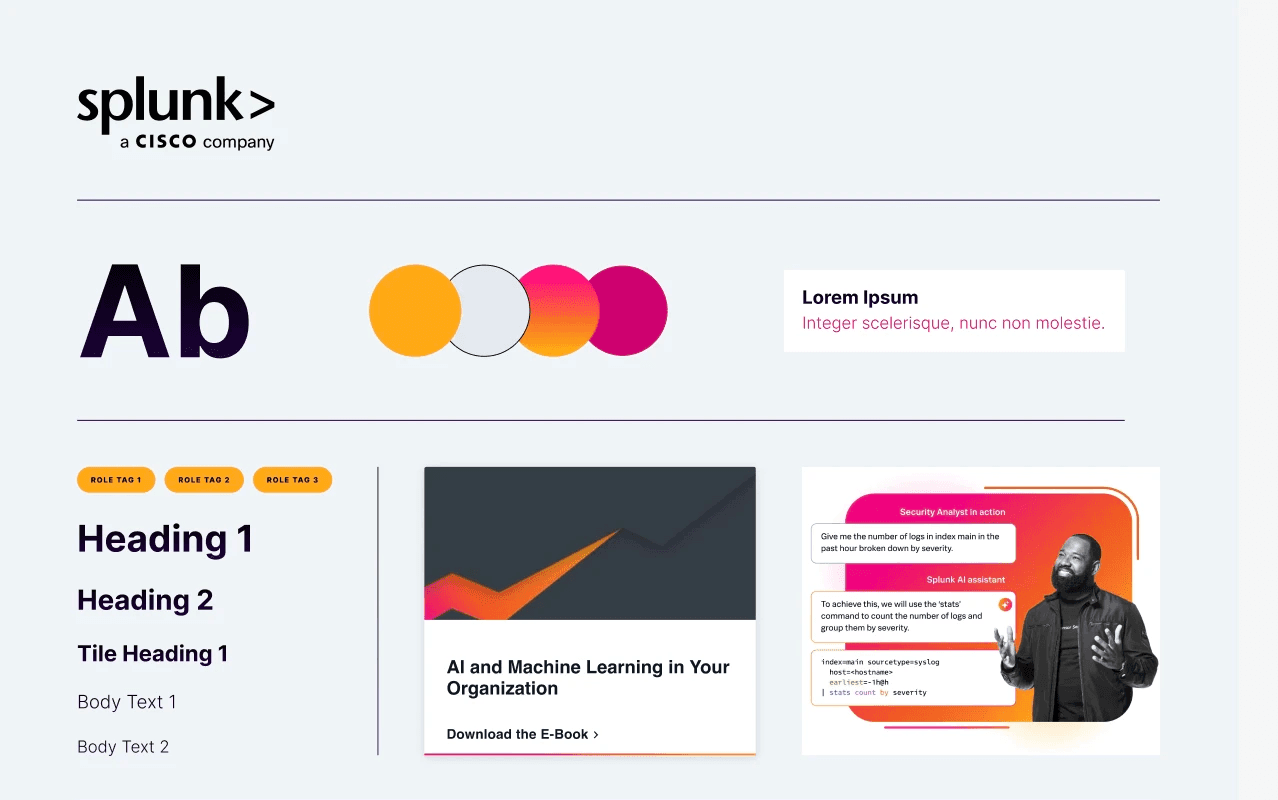
[Process]
[01] IA Audit & Mental Model Mapping
Mapped 20+ products to identify structural overlaps, naming inconsistencies, and navigation dead ends
Analysed how developers, IT admins, and security engineers approach documentation differently
Found the legacy portal was organised around Splunk's internal structure, not user workflows
[02] Insights
Users couldn't determine which product section applied to their use case without already knowing the answer
Acquired products like AppDynamics created invisible walls through conflicting terminology
Two usage patterns needed serving: exploratory orientation and direct deep-dive access
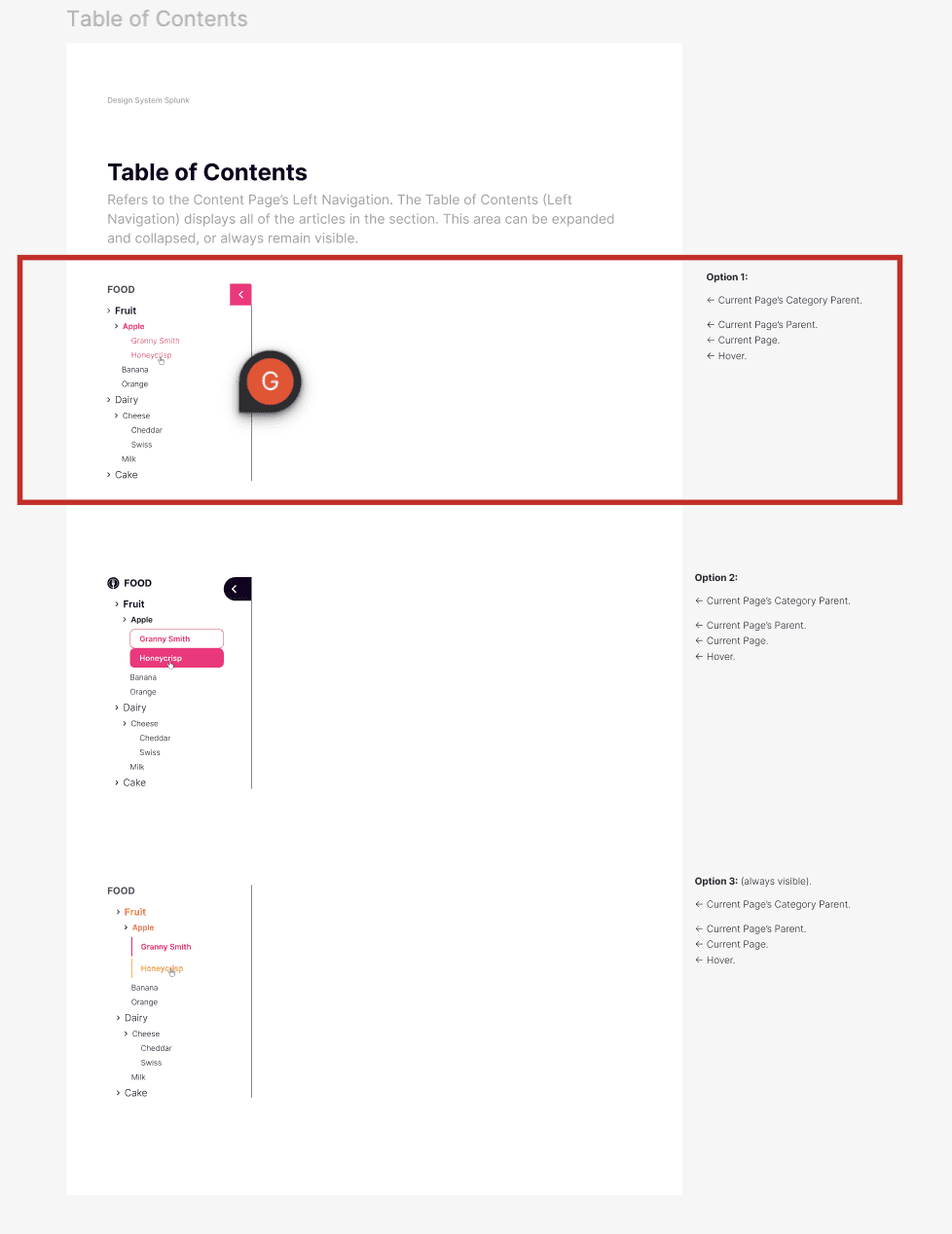
[03] Taxonomy & Navigation Architecture
Designed Platform / Observability / Security / Resources to match how customers think, not how Splunk is organised internally
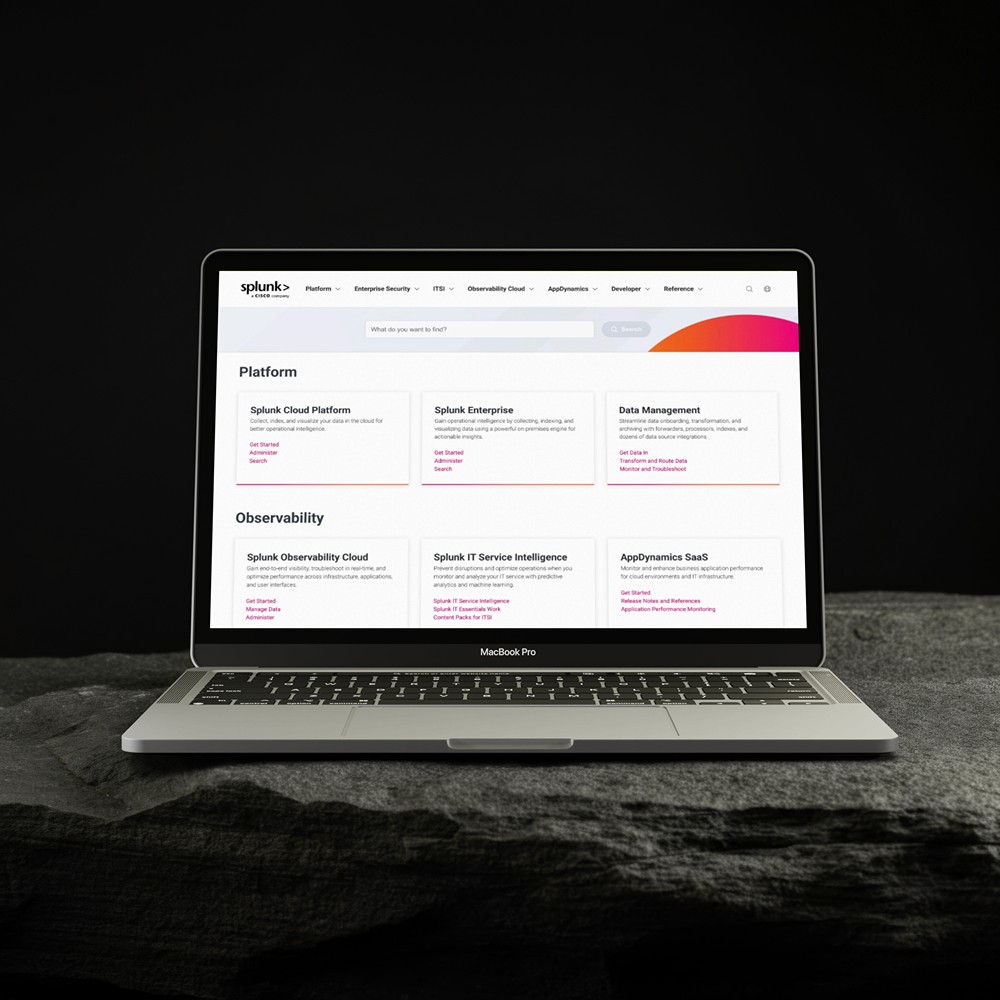
Built card-based structure surfacing product names, use cases, and quick-access links at a glance
Unified navigation patterns across all product families including legacy AppDynamics content
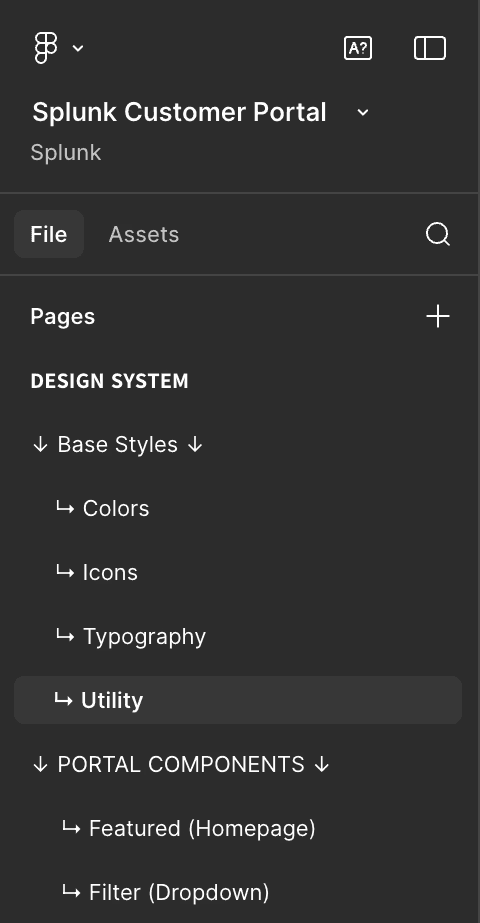
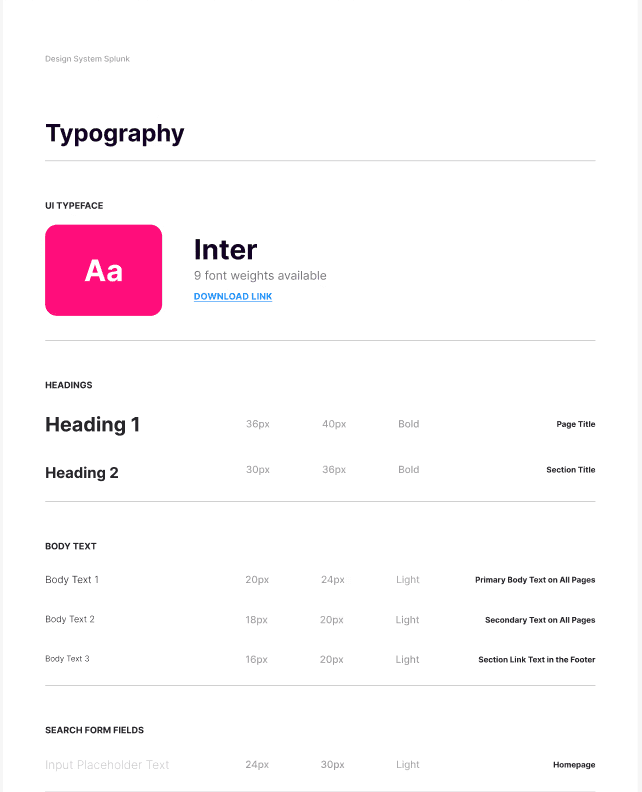
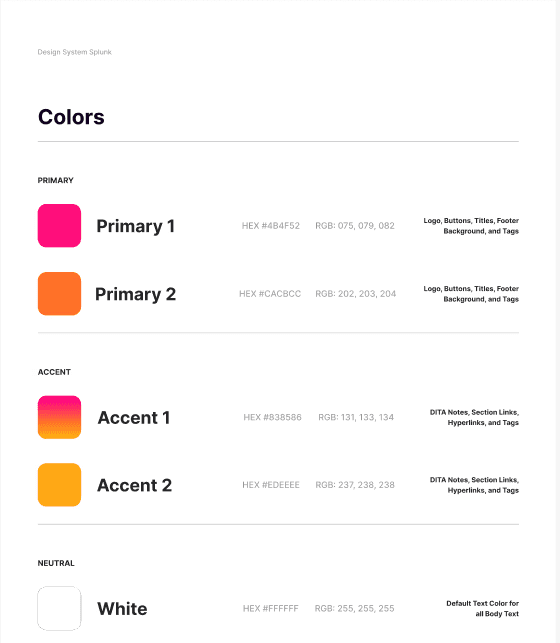
[04] Designing for Density Without Clutter
Enterprise developers need depth, not simplification — extensive content hierarchies had to stay accessible
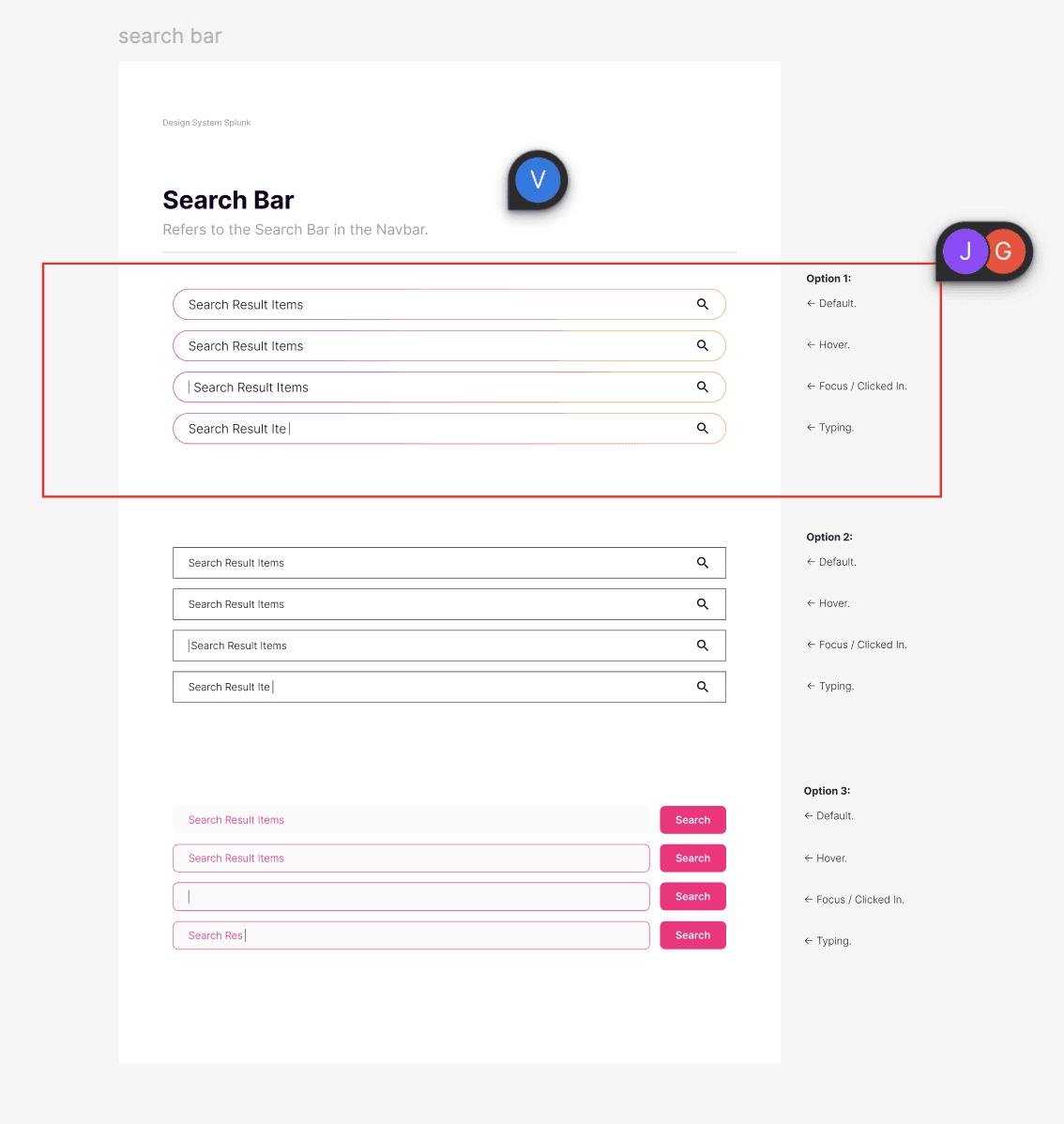
Every visual decision — typography, spacing, cards — was made in service of scannability
Navigation built to serve both first-time explorers and experienced users seeking specific content
[ Old portal ↗ ]
[ New portal ↗ ]
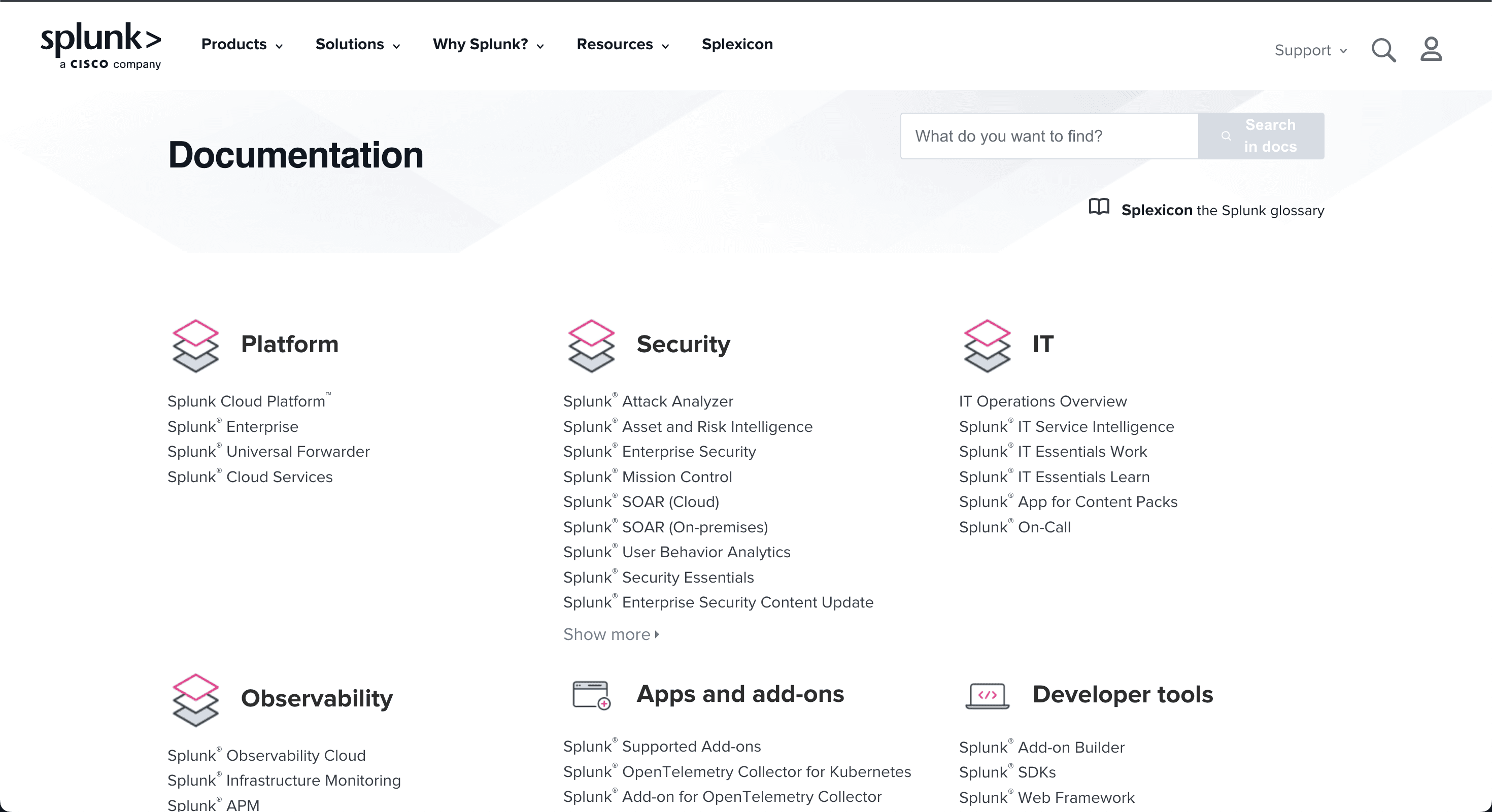
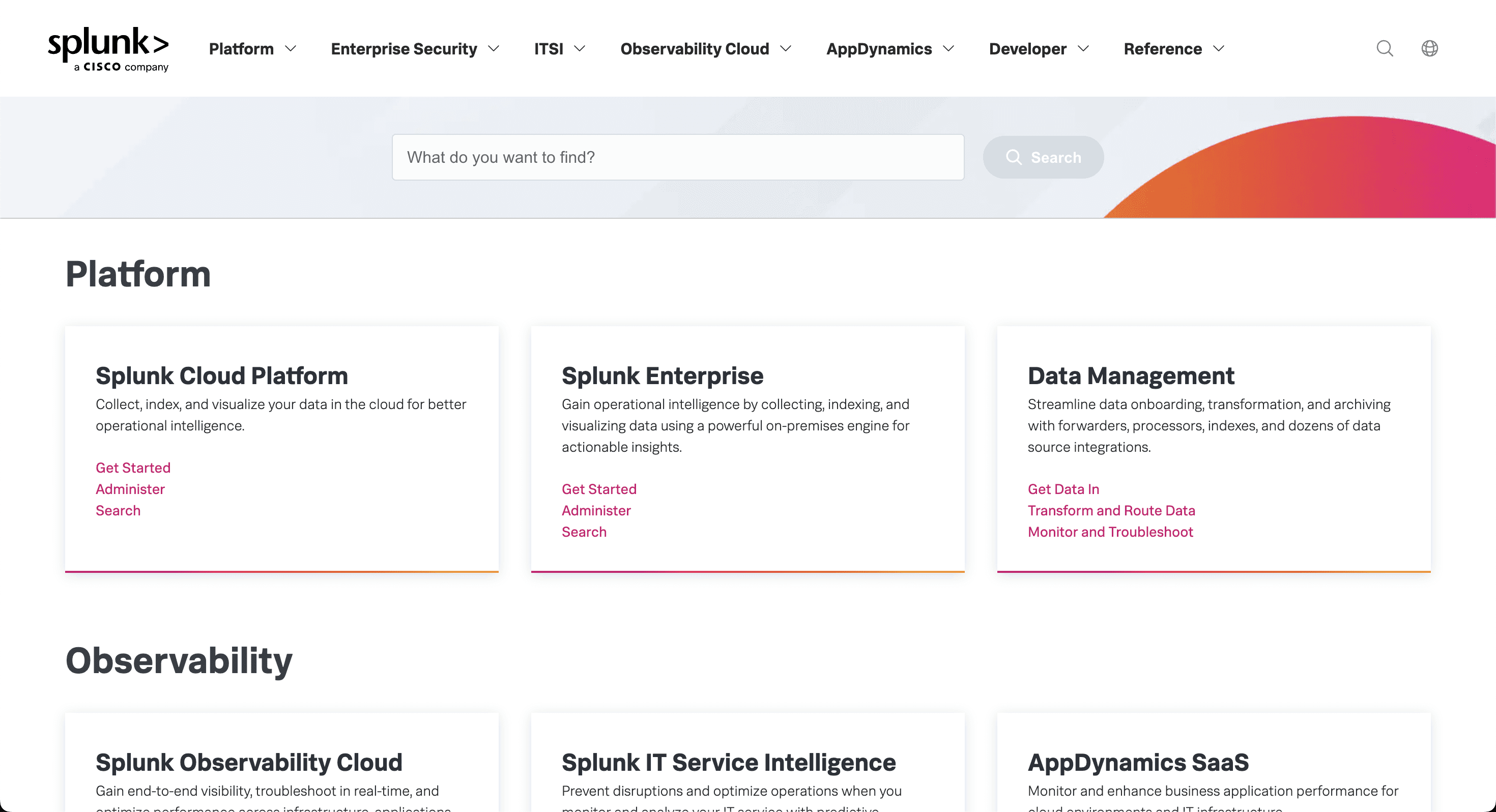
[Key Decisions]
Taxonomy Is the Product
Before any UI was designed, the most critical work was getting the taxonomy right. A wrong structure means thousands of users failing to orient themselves daily. This is the work that doesn't show in screenshots — but determines whether the portal actually functions.
Structure Over Style
The visual design is intentionally restrained because for a security and data platform, trust is communicated through precision — not decoration. The real design investment went into structure: grouping logic, navigation depth, and information hierarchy. Style follows structure. Always.
Designing for Scale and Acquisition
Splunk grows through acquisition. Every architectural pattern was designed to be extensible — absorbing new products, new content types, and new release cycles without requiring structural redesign each time. A portal that breaks when the next acquisition lands is not a solved problem.
[Outcome]
From Archive to Experience.
The gap between the legacy portal and the new one isn't primarily visual — it's structural. Where the old portal required users to already know what they were looking for, the new portal gives them a mental model for the entire Splunk ecosystem within seconds of landing. By solving the taxonomy and navigation architecture first, and building a scalable design system second, the portal now serves a global enterprise audience with the clarity and credibility that Splunk's reputation demands. This is an ongoing partnership — the portal continues to evolve alongside Splunk's expanding product line, with the architecture built to absorb that growth.
Want to hear the full story?
I can walk you through the research process, stakeholder decisions, and design trade-offs in detail.
[Case 02]
Unifying Splunk's Documentation Portal
Data, Observability & Security
Redesigning the Information Architecture for a 20+ Product Enterprise Ecosystem
Splunk's documentation portal serves hundreds of thousands of developers, IT administrators, and security engineers globally. With 20+ products spanning cloud platforms, SIEM, SOAR, observability, and acquired tools like AppDynamics, the legacy portal had become an archive with no coherent structure. This project was about solving the taxonomy and navigation architecture first — so the design could actually serve the people depending on it daily.
Heretto Live Portal: help.splunk.com/en ↗
Old Portal: docs.splunk.com/Documentation ↗
[Industry]
Data, &
Security
[My Role]
Lead Product Designer
[Platforms]
Figma,
Heretto Live Portal
20+ enterprise products unified under a single coherent IA
Portal available in English and Japanese, serving a global enterprise audience
6 product families restructured — Platform, Observability, Security, AppDynamics, Developer, Resources
[The Challenge]
More than Twenty Products. One Portal. Zero Orientation.
Splunk's legacy documentation portal was a structural problem disguised as a visual one. With over 20 products — many acquired at different times with different naming conventions and content structures — the portal had become a flat wall of product names with no context, no grouping by workflow, and no signal about where to start. For a platform that enterprise security and DevOps teams rely on during production incidents, that friction wasn't just a UX inconvenience. It was a business liability. The real challenge wasn't making the portal look better. It was making it think better.
[The Solution]
Restructure First. Design Second.
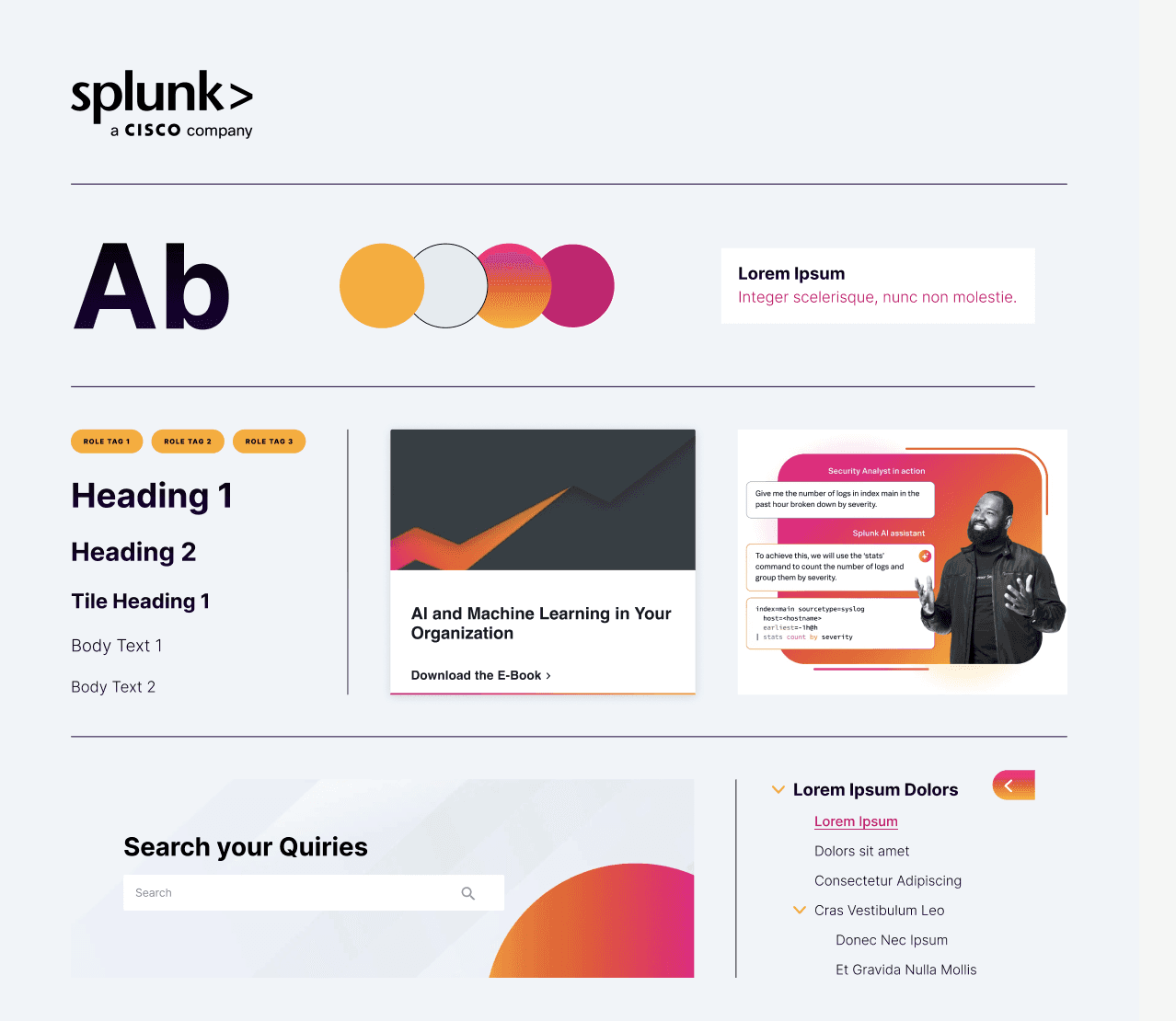
The core of this engagement was information architecture — answering one question: how do Splunk's customers actually think about their work, and how do we build a structure that maps to that mental model rather than to Splunk's internal org chart? Working within Heretto's CCMS platform and in close collaboration with Splunk's content and engineering teams, I designed a taxonomy and navigation architecture that brought order to one of the most complex product ecosystems in enterprise software — then built the visual system to make that structure immediately legible.
[Process]
[01] IA Audit & Mental Model Mapping
Mapped 20+ products to identify structural overlaps, naming inconsistencies, and navigation dead ends
Analysed how devs, IT admins, and security engineers approach documentation differently
Found the legacy portal was organised around Splunk's internal structure, not user workflows
[02] Insights
Users couldn't find the right product section without already knowing the answer
Acquired products like AppDynamics created invisible walls through conflicting terminology
Two usage patterns needed serving: exploratory orientation and direct deep-dive access
[03] Taxonomy & Navigation Architecture
Designed Platform / Observability / Security / Resources to match how customers think, not how Splunk is organised internally
Built card-based structure surfacing product names, use cases, and quick-access links at a glance
Unified navigation patterns across all product families including legacy AppDynamics content
[04] Designing for Density
Enterprise developers need depth, not simplification — extensive content hierarchies had to stay accessible
Every visual decision — typography, spacing, cards — was made in service of scannability
Navigation built to serve both first-time explorers and experienced users seeking specific content
[ Old portal ↗ ]
[ New portal ↗ ]
[Key Decisions]
Taxonomy Is the Product
Before any UI was designed, the most critical work was getting the taxonomy right. A wrong structure means thousands of users failing to orient themselves daily. This is the work that doesn't show in screenshots — but determines whether the portal actually functions.
Structure Over Style
The visual design is intentionally restrained because for a security and data platform, trust is communicated through precision — not decoration. The real design investment went into structure: grouping logic, navigation depth, and information hierarchy. Style follows structure. Always.
Designing for Scale and Acquisition
Splunk grows through acquisition. Every architectural pattern was designed to be extensible — absorbing new products, new content types, and new release cycles without requiring structural redesign each time. A portal that breaks when the next acquisition lands is not a solved problem.
[Outcome]
From Archive to Experience.
The gap between the legacy portal and the new one isn't primarily visual — it's structural. Where the old portal required users to already know what they were looking for, the new portal gives them a mental model for the entire Splunk ecosystem within seconds of landing. By solving the taxonomy and navigation architecture first, and building a scalable design system second, the portal now serves a global enterprise audience with the clarity and credibility that Splunk's reputation demands. This is an ongoing partnership — the portal continues to evolve alongside Splunk's expanding product line, with the architecture built to absorb that growth.
Want to hear the full story?
I can walk you through the research process, stakeholder decisions, and design trade-offs in detail during a conversation.
[Case 02]
Unifying Splunk's Documentation Portal
Data, Observability & Security
Redesigning the Information Architecture for a 20+ Product Enterprise Ecosystem
Splunk's documentation portal serves hundreds of thousands of developers, IT administrators, and security engineers globally. With 20+ products spanning cloud platforms, SIEM, SOAR, observability, and acquired tools like AppDynamics, the legacy portal had become an archive with no coherent structure. This project was about solving the taxonomy and navigation architecture first — so the design could actually serve the people depending on it daily.
Heretto Live Portal: help.splunk.com/en ↗
Old Portal: docs.splunk.com/Documentation ↗
[Industry]
Cybersecurity
[My Role]
Lead
Product Designer
[Platforms]
Figma,
20+ enterprise products unified under a single coherent IA
Portal available in English and Japanese, serving a global enterprise audience
6 product families restructured — Platform, Observability, Security, AppDynamics, Developer, Resources
[The Challenge]
More than Twenty Products. One Portal. Zero Orientation.
Splunk's legacy documentation portal was a structural problem disguised as a visual one. With over 20 products — many acquired at different times with different naming conventions and content structures — the portal had become a flat wall of product names with no context, no grouping by workflow, and no signal about where to start. For a platform that enterprise security and DevOps teams rely on during production incidents, that friction wasn't just a UX inconvenience. It was a business liability. The real challenge wasn't making the portal look better. It was making it think better.
[The Solution]
Restructure First. Design Second.
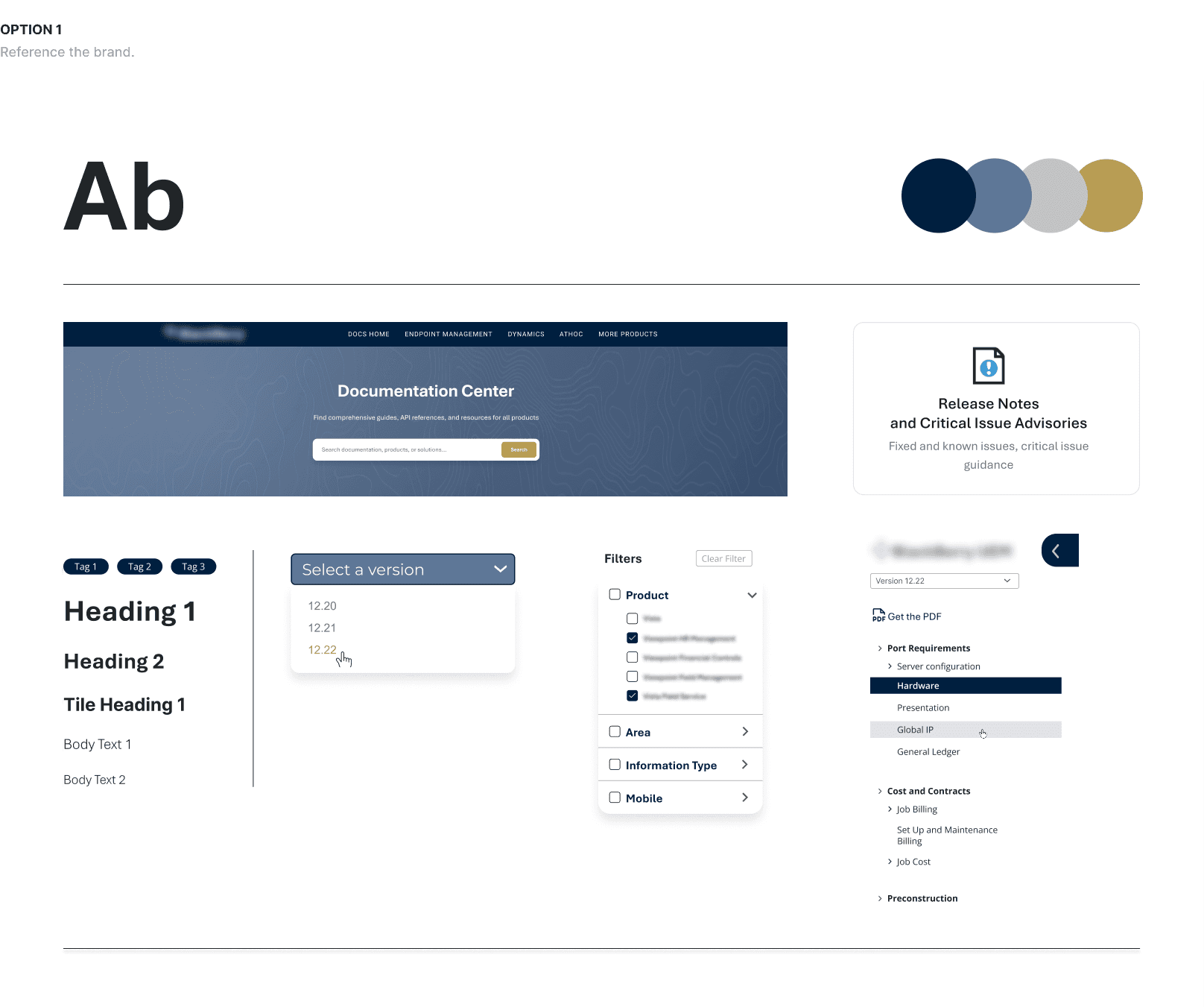
The core of this engagement was information architecture — answering one question: how do Splunk's customers actually think about their work, and how do we build a structure that maps to that mental model rather than to Splunk's internal org chart? Working within Heretto's CCMS platform and in close collaboration with Splunk's content and engineering teams, I designed a taxonomy and navigation architecture that brought order to one of the most complex product ecosystems in enterprise software — then built the visual system to make that structure immediately legible.
[Process]
[01] IA Audit & Mental Model Mapping
Mapped 20+ products to identify structural overlaps, naming inconsistencies, and navigation dead ends
Analysed how developers, IT admins, and security engineers approach documentation differently
Found the legacy portal was organised around Splunk's internal structure, not user workflows
[02] Insights
Users couldn't find the right product section without already knowing the answer
Acquired products like AppDynamics created invisible walls through conflicting terminology
Two usage patterns needed serving: exploratory orientation and direct deep-dive access
[03] Taxonomy & Navigation Architecture
Designed Platform / Observability / Security / Resources to match how customers think, not how Splunk is organised internally
Built card-based structure surfacing product names, use cases, and quick-access links at a glance
Unified navigation patterns across all product families including legacy AppDynamics content
[04] Designing for Density Without Clutter
Enterprise developers need depth, not simplification — extensive content hierarchies had to stay accessible
Every visual decision — typography, spacing, cards — was made in service of scannability
Navigation built to serve both first-time explorers and experienced users seeking specific content
[ Old portal ↗ ]
[ New portal ↗ ]
[Key Decisions]
Taxonomy Is the Product
Before any UI was designed, the most critical work was getting the taxonomy right. A wrong structure means thousands of users failing to orient themselves daily. This is the work that doesn't show in screenshots — but determines whether the portal actually functions.
Structure Over Style
The visual design is intentionally restrained because for a security and data platform, trust is communicated through precision — not decoration. The real design investment went into structure: grouping logic, navigation depth, and information hierarchy. Style follows structure. Always.
Designing for Scale
Splunk grows through acquisition. Every architectural pattern was designed to be extensible — absorbing new products, new content types, and new release cycles without requiring structural redesign each time. A portal that breaks when the next acquisition lands is not a solved problem.
[Outcome]
From Archive to Experience.
The gap between the legacy portal and the new one isn't primarily visual — it's structural. Where the old portal required users to already know what they were looking for, the new portal gives them a mental model for the entire Splunk ecosystem within seconds of landing. By solving the taxonomy and navigation architecture first, and building a scalable design system second, the portal now serves a global enterprise audience with the clarity and credibility that Splunk's reputation demands. This is an ongoing partnership — the portal continues to evolve alongside Splunk's expanding product line, with the architecture built to absorb that growth.
Want to hear the full story?
I can walk you through the research process, stakeholder decisions, and design trade-offs in detail during a conversation.